
96 lines
5 KiB
Markdown
96 lines
5 KiB
Markdown
Pangea Chat Client Setup:
|
||
|
||
* Download VSCode if you do not already have it installed
|
||
* Download flutter on your device using this guide: https://docs.flutter.dev/get-started/install
|
||
* Test to make sure that flutter is properly installed by running “flutter –version”
|
||
* You may need to add flutter to your path manually. Instructions can be found here: https://docs.flutter.dev/get-started/install/macos/mobile-ios?tab=download#add-flutter-to-your-path
|
||
* Ensure that Google Chrome is installed
|
||
* Install the latest version of XCode
|
||
* After downloading XCode, ensure that the iOS simulator runtime is installed. To do this, after initially downloading XCode, a screen will open where you can select the platforms you wish to develop for. Selected iOS and download from there.
|
||
* Install the latest version of Android Studio
|
||
* After downloading Android Studio, open Android Studio and go through setup wizard
|
||
* In Android Studio, open settings -> Android SDK -> SDK tools, then click “Android SDK Command Line Tools” and click OK to run the download
|
||
* If you do not have homebrew install on your device, install homebrew by follow the instructions here: https://brew.sh/
|
||
* Run “brew install cocoapods” to install cocoapods
|
||
* Run “flutter doctor” and for any missing components, follow the instructions from the print out to install / setup
|
||
* Clone the client repo
|
||
* Copy the .env file (and the .env.prod file, if you want to run production builds), into the root folder of the client and the assets/ folder
|
||
* Uncomment the lines in the pubspec.yaml file in the assets section with paths to .env file
|
||
* To run on iOS:
|
||
* Run “flutter precache --ios”
|
||
* Go to the iOS folder and run “pod install”
|
||
* To run on Android:
|
||
* Download Android File Transfer here: https://www.android.com/filetransfer/
|
||
* To run the app from VSCode terminal:
|
||
* On web, run `flutter run -d chrome –hot`
|
||
* On mobile device or simulator, run `flutter run –hot -d <DEVICE_NAME>`
|
||
|
||
|
||
|
||
[FluffyChat](https://fluffychat.im) is an open source, nonprofit and cute [[matrix](https://matrix.org)] client written in [Flutter](https://flutter.dev). The goal of the app is to create an easy to use instant messenger which is open source and accessible for everyone.
|
||
|
||
### Links:
|
||
|
||
- 🌐 [[Weblate] Translate FluffyChat into your language](https://hosted.weblate.org/projects/fluffychat/)
|
||
- 🌍 [[m] Join the community](https://matrix.to/#/#fluffychat:matrix.org)
|
||
- 📰 [[Mastodon] Get updates on social media](https://mastodon.art/@krille)
|
||
- 🖥️ [[Famedly] Server hosting and professional support](https://famedly.com/kontakt)
|
||
- 💝 [[Liberapay] Support FluffyChat development](https://de.liberapay.com/KrilleChritzelius)
|
||
|
||
<a href='https://ko-fi.com/C1C86VN53' target='_blank'><img height='36' style='border:0px;height:36px;' src='https://storage.ko-fi.com/cdn/kofi5.png?v=3' border='0' alt='Buy Me a Coffee at ko-fi.com' /></a>
|
||
|
||
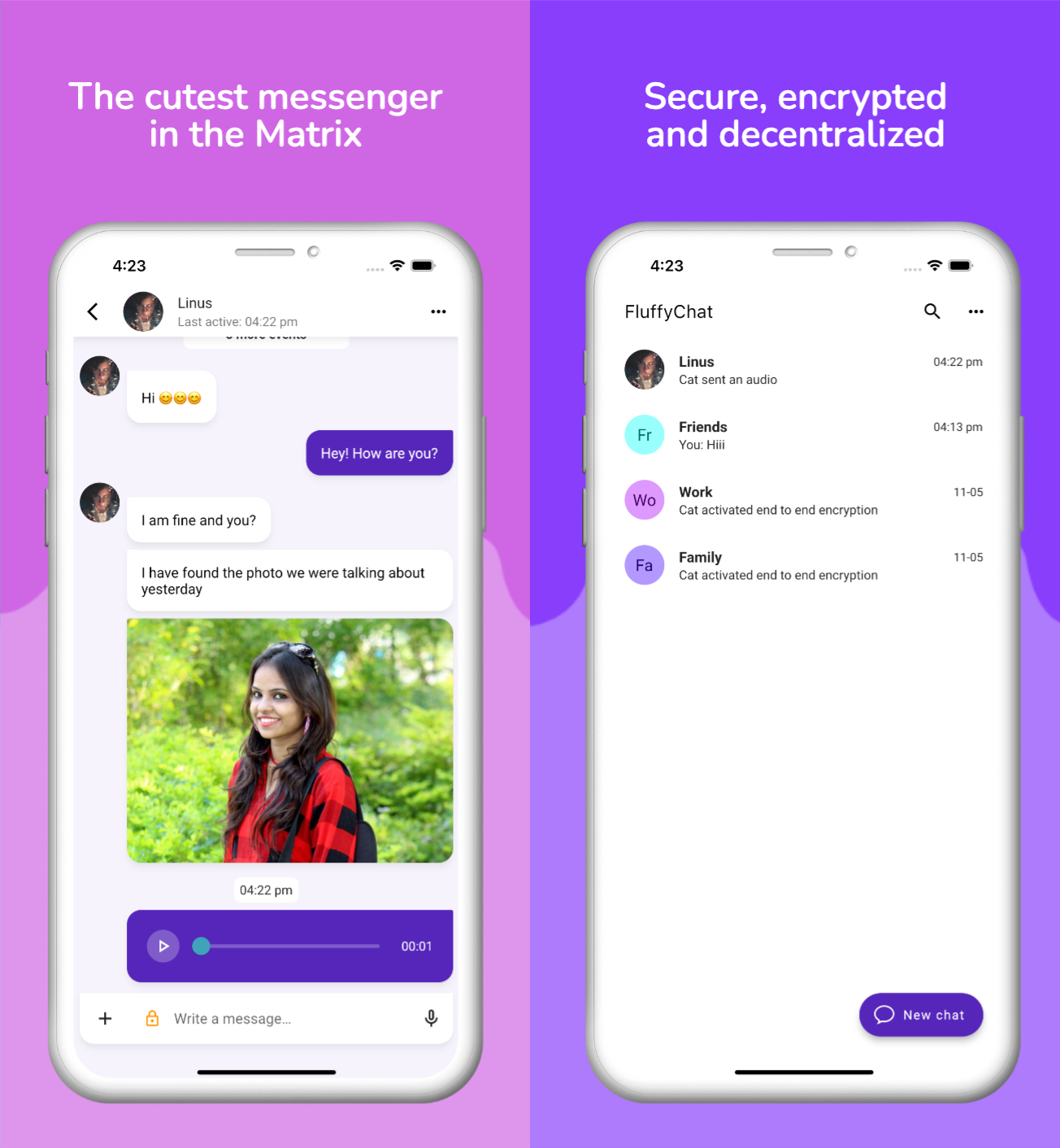
### Screenshots:
|
||
|
||
|
||
|
||
# Features
|
||
|
||
- 📩 Send all kinds of messages, images and files
|
||
- 🎙️ Voice messages
|
||
- 📍 Location sharing
|
||
- 🔔 Push notifications
|
||
- 💬 Unlimited private and public group chats
|
||
- 📣 Public channels with thousands of participants
|
||
- 🛠️ Feature rich group moderation including all matrix features
|
||
- 🔍 Discover and join public groups
|
||
- 🌙 Dark mode
|
||
- 🎨 Material You design
|
||
- 📟 Hides complexity of Matrix IDs behind simple QR codes
|
||
- 😄 Custom emotes and stickers
|
||
- 🌌 Spaces
|
||
- 🔄 Compatible with Element, Nheko, NeoChat and all other Matrix apps
|
||
- 🔐 End to end encryption
|
||
- 🔒 Encrypted chat backup
|
||
- 😀 Emoji verification & cross signing
|
||
|
||
... and much more.
|
||
|
||
|
||
# Installation
|
||
|
||
Please visit the website for installation instructions:
|
||
|
||
- https://fluffychat.im
|
||
|
||
# How to build
|
||
|
||
Please visit the [Wiki](https://github.com/krille-chan/fluffychat/wiki) for build instructions:
|
||
|
||
- https://github.com/krille-chan/fluffychat/wiki/How-To-Build
|
||
|
||
|
||
# Special thanks
|
||
|
||
* <a href="https://github.com/fabiyamada">Fabiyamada</a> is a graphics designer and has made the fluffychat logo and the banner. Big thanks for her great designs.
|
||
|
||
* <a href="https://github.com/advocatux">Advocatux</a> has made the Spanish translation with great love and care. He always stands by my side and supports my work with great commitment.
|
||
|
||
* Thanks to MTRNord and Sorunome for developing.
|
||
|
||
* Also thanks to all translators and testers! With your help, fluffychat is now available in more than 12 languages.
|
||
|
||
* <a href="https://github.com/googlefonts/noto-emoji/">Noto Emoji Font</a> for the awesome emojis.
|
||
|
||
* <a href="https://github.com/madsrh/WoodenBeaver">WoodenBeaver</a> sound theme for the notification sound.
|
||
|
||
* The Matrix Foundation for making and maintaining the [emoji translations](https://github.com/matrix-org/matrix-spec/blob/main/data-definitions/sas-emoji.json) used for emoji verification, licensed Apache 2.0
|